Cultural Heritage

A UKOLN Blog for the Cultural Heritage sector

The Brave New World of RDA

Posted by Ann Chapman on March 17th, 2010

A few days ago I gave a talk  on RDA – what it is, how it’s been developed – and also how RDA has influenced changes in MARC 21, the library cataloguing format. It was also an opportunity to reflect how these standards could change, for example, future library OPACs.

I was giving this talk to students taking the cataloguing module of the information management studies courses at London Metropolitan University.  This sort of occasion is always a great opportunity to meet the next generation of professionals in the information sector. These people are right at the beginning of their career and don’t as yet know where this will take them – public libraries, private sector libraries (e.g. law firms, business companies), education (the whole range from schools through to colleges and universities), research or the voluntary sector (charities). The core skills they need will remain the same but the environment in which they use those skills is continuously changing. Drawers of catalogue cards have been replaced by OPACs, library stock is expected to inlcude e-books and e-journals and libraries are using blogs, microblogging and tagging to help users.

Back in the office it’s now down to making my talk more widely available. So I’ve uploaded my slides to my account on Slideshare as well as making them available from the Cultural Heritage and Bibliographic Management areas of the UKOLN web site. The next step is telling people I’ve done this, for instance by doing a short news item for the UKOLN news feed.  And of course writing this blog post – which will potentially  get to a further audience because the RSS feed of this blog feeds into our account (ukolnculture) on twitter.

Tags: ,
Posted in Cataloguing, Libraries | No Comments »

What is an ISTC?

Posted by Ann Chapman on March 15th, 2010

ISTC stands for the International Standard Text Code (ISTC). This is a new numbering system developed to enable the unique identification of textual works and is published by the International Standards Organization as ISO 21047.

The ISTC Web site states that: “The International Standard Text Code (ISTC) system is a global identification system for textual works. It is primarily intended for use by publishers, bibliographic services, retailers, libraries and rights management agencies.” and “An ISTC can be applied to any textual work by any authorized representative of the author of a textual work”.

So whereas the ISBN distinguished between hardback and paperback versions of a text, the ISTC works to bring together a group of resources with the same content.

Crucially, “an ISTC does not ‘belong’ to a single author/publisher” – it belongs to the work. Put simply, that means that when the next Terry Pratchett novel comes out in hardback, the publisher can apply for an ISTC for it. The same ISTC is then also used for example, for paperback and large-print versions published in the UK even if they are published by different publisher(s) and for any versions published elsewhere.

So it could be a useful bit of data to include in library catalogue records, making it easier to search for a specific text work, for example, where a public library has multiple copies of the work in a number of branches, some in hardback (with its ISBN) and some in paperback (again with its own ISBN).

If you are a cataloguer, you might like to take a look at MARBI Discussion Paper 2010-DP03 which looks at the detail of where to place the ISTC within MARC 21 bibliographic and authority records.

Perhaps you’ve not seen an ISTC yet, but I gather around 4,000 have been assigned already. Initially they’ll be turning up in book trade records; then I’d expect to see them in bibliographic data suppliers records, and finally in public (and other) library catalogues. So keep a watch out for them.

Posted in Cataloguing, Libraries | No Comments »

Lost Online Heritage

Posted by Ann Chapman on March 8th, 2010

In the news recently is the warning from a group of leading libraries in the UK that we are heading for a “digital black hole”. This is because the current wording of the Legal Deposit Libraries Act means that archiving Web sites can only be done with the owners persmission, so major libraries such as the British Library face a big overhead on their archiving programme in terms of time taken to identify, locate and contact the owners. British Library chief executive Dame Lynn Brindley estimates that this restriction means that just 1% of free UK Web sites will be archived by 2011.

As the BBC news item notes, ephemera is a useful source of information to social historians on many levels. It’s not just the content (e.g. political party pamphlets, concert programmes, flyers about anything and everything) but also the look and feel of these items – each era has its own distinctive look in graphic design. The same goes for Web sites – if you are able to look at older Web sites that haven’t had a recent makeover you’ll see the difference. And that is the nub of the problem – the sites that have disappeared entirely or whose content has changed dramatically over time.

This got me wondering about how many library, museum and archive Web sites self-archive? What happens to all the old content when a project finishes or you have a major redesign or contract out the Web site provision to an external service?

So what do you do? A good first step is to read about the issues and some of the practical steps you can take. The UKOLN CUltural Heritage team have produced a series of briefing documents on digital preservation. These include Mothballing Your Web Site, Preserving Your Homepage, Top Ten Tips for Web Site Preservation and most importantly Developing Your Digital Preservation Policy.

Posted in Preservation | No Comments »

Follow ukolnculture on Twitter

Posted by Ann Chapman on March 1st, 2010

I’ve been working on the Cultural Heritage part of the UKOLN Web site for the last couple of years and as part of this I’ve started using some Web 2.0 tools and services – LibraryThing for the Bookshelf, Dipity for demonstrating the uses of blogs, Delicious for the Ariadne Digest, writing for this blog – and now I’ve created an account (ukolnculture) on twitter.

So why did I do this? You’re reading this blog, so I assume you discovered it somehow. Maybe you saw the link on the UKOLN home page or the link in the Cultural Heritage pages? Perhaps someone passed on the URL to you or you heard about it at one of our Web 2.0 events? The thing is that there are lots of ways you could find out about the blog and we don’t know which way it will happen. So we can’t rely on people finding us via route A – we have to make sure you can find us via routes B and C (and may be on as far as route Z) as well.

Why twitter? Well, for three reasons. We know that some people from cultural heritage organisations – our target audience – are already on twitter. We also like to use the Cultural Heritage pages to demomstrate how you could use a service for your organisation. And thirdly, if we are going to suggest you use it, we need to have used it ourselves.

So how did I fare as a newbie twitterer? Sign up is easy – just fill in Full Name, Username, Password and email address. But hold on – it’s worth thinking about this just a little beforehand. Full Name doesn’t have to be your personal name; so if you are creating an account for the museum friends or the library reading groups, then use something like Someplace Museum Friends or Someplace Library Readers (though there’s a little catch here in that you’ve only got 20 characters available so you might need to be a little creative). What about Username? Well this is the bit that twitter followers will see – in our case ukolnculture. As this gets quoted in tweets it’s good to keep this short but do think about how it reads – we decided against ukolnculther. And finally the email address – twitter will use this to contact you to confirm the set up of the account. This doesn’t have to be your personal one (you may be reponsible for the twitter account this year but it could be someone else next year) so you could use a corporate one.

Having got the account – what next? That really depends on what you want to use twitter for. Could be you want to promote events in your library or museum, or a way to let people know of unexpected closures (the recent snow springs to mind). For some things, you might need to write the posts yourself. Not difficult, simply sign in to the account and start typing the message – in 140 characters. You don’t even have to do the counting – twitter shows the character count just above the text box and the number drops as you type, delete text and the count rises. It’s useful to post an initial tweet that simply say something about the pupose of the account, such as ‘Created the someplacemuseum Twitter account for news about our events and exhibitions’.

But there is an alternative and that is using another service to pull text from RSS feeds into your twitter account, which is what we are doing. Maybe you already have a news page or a library blog with an RSS feed set up. Sign up to twitterfeed and put in the URLs of the feeds you want to use and use the twitter link. If you are doing this it’s worth manually adding a second initial tweet saying something along the lines of ‘Created the ukolnculture Twitter account. This will publish various work-related RSS feeds’. But what about that 140 character limit? All that happens is that the RSS feed is automatically truncated by twitter, so typically a tweet will be the title of a blog post and part of the first sentence – just enough to intrigue people enough to go to the blog and read the full post. It follows from this that long titles in blog posts should be avoided.

So what will you find if you follow ukolnculture on twitter? Our policy for this twitter account is to focus on letting people know about our activities for the cultural heritage sector. The tweets will come from three RSS feeds (though we may add further feeds at a later date). The Cultural Heritage blog feed will alert people to new posts on the blog. The events feed will inform people of news about our workshops and other events for the cultural heritage sector. The briefing documents feed will let people know when new Introbytes briefing documents are published.

If you are on twitter why not follow ukolnculture. If you’re not on twitter yet, why not have a think about what it could do for you? And usefully, it’s free.

Posted in Web 2.0 | No Comments »

Elsewhere on UKOLN Blogs: February 2010

Posted by Brian Kelly on February 26th, 2010

This month’s regular summary of posts on other UKOLN blogs which may be of interest to the cultural heritage community is given below.

SCONUL Access
If you are a researcher who works away from their organisation then SCONUL Access enables staff, students, and research students to borrow material from other libraries. Find out more
Published 25 February 2010
Home working and the Rebound Effect
What is the rebound effect and what is does it have to do with home working and events organisation?
Published 16 February 2010
Moderated Comments? Closed Comments? No Thanks!
How moderation of blog comments can act as a barrier to engagement with readers of a blog.
Published 15 February 2010
Remote Audiences
What is transliteracy and what role do remote audiences play? A guest blog post by Kirsty McGill.
Published 12 February 2010
A Challenge To Linked Data Developers
Can Linked Web developers use DBpedia to answer a query?
Published 12 February 2010
OMG! Is That Me On The Screen?
How should you go about reusing photographs of people in presentations?
Published 10 February 2010
Higher Ambitions, e-learning and remote working
What does the government’s Higher Ambitions paper say about remote and online learning. More on the task force led by Lynne Brindley, Chief Executive of the British Library.
Published 8 February 2010
H.264 Format Free To End Users Until (At Least) 2016
Will the extension of the licence for use of the H.264 format see this proprietary but well-supported video format become widely deployed on the Web?
Published 4 February 2010
Guide to Mobile Broadband Providers
A look at the mobile broadband providers available from Joe Linford of Broadband Genie
Published 4 February 2010
iPad, Flash, HTML 5 and Standards
Will HTML 5 see the introduction of open video formats for the Web?
Published 3 February 2010
Decommissioning / Mothballing Mailing Lists
What policies should you adopt if you discover the existence of unused JISCMail mailing lists?
Published 1 February 2010

Posted in Blogs | No Comments »

Policies on Moderation of Blog Comments

Posted by Brian Kelly on February 22nd, 2010

Readers of posts on this blog are free to submit comments.  Comments are published automatically, with no manual approval process required. The decision to permit comments to be published without needing to check the contents was taken in order to minimise barriers for readers wishing to engage in discussions on the blog.

Dangers with this approach includes risks that automated comment spam messages are published or that inappropriate comments are submitted.

The risk that automated spam posts will be published is minimised by the Akismet spam filter which has proved successful in trapping a large number of spam comments.  The automated tool has also helped to minimise the effort needed by the blog administrators in checking submitted comments and choosing whether to delete inappropriate comment or publish legitimate comments.

The risk that inappropriate comments may be submitted has, in reality, not happened to any significant extent, with  the occasional spam comment which Akismet fails to detect being spotted and deleted normally in a few hours after publication. We also are aware that readers of this blog are capable of spotting spam comments for themselves, so we do not feel there is a risk to our reputation if this happens.

However although our policy on unmoderated comments is appropriate for this blog, this may not be the case for all blogs.  If you blog service does not have an automated comment spam filter, then moderation may be needed in order to avoid your blog becoming filled with spam comments, thereby probably inhibiting legitimate readers from submitting their own comments.

If you run a very popular blog, or your blog covers newsworthy topics (e.g. global warming) you could possibly find that management of blog comments becomes time-consuming.

In order to assist blog owners in formulating their policies i n this area  a UKOLN briefing document on Policies On Blog Comments has been published, based on feedback received on a recent UK Web Focus blog post.

We hope this document is useful for those of you who are involving in providing blog services to your user communities.

Posted in Blogs | No Comments »

100 And Counting

Posted by Brian Kelly on February 18th, 2010

We have now published 100 posts on UKOLN’s Cultural Heritage blog since it was launched in January 2009.  The aim of the blog was to enable UKOLN’s Cultural Heritage support team (myself, Marieke Guy and Ann Chapman) to have a mechanism for speedy publication of resources relevant to the cultural heritage sector.  The blog also provides the team with a valuable opportunity to gain experiences of various issues related to providing and sustaining a blog service,  which will inform our various workshops and briefing documents.

For those who may be new to the blog a summary of the approaches taken and highlights of  the various posts is given below.

Guest Blog Posts
We publish guest blog posts from practitioners in the cultural heritage sector.  These include a post on The Black Art of Blogging (which reported on the impact of a UKOLN workshop on blogging), a summary of Brighton Museum & Art Gallery’s The ‘On the Pull’ Project (which featured as a case study at one of the UKOLN’s Social Web workshops), another case study presented at a UKOLN workshop entitled When Peregrines Come To Town, a post  by Nick Poole, Chief Executive of the Collections Trust (which described Collections Trust’s Digital Programmes on the OpenCulture Blog), a post by Margaret Adolphus, a journalist specialising in librarianship, the knowledge industry on Dull Library Web Sites and, most recently a post by Nicola McNee on Communicating with the Facebook generation.
Blog Posts Related To Peer-Reviewed Papers
Blog posts by UKOLN staff have provided access to papers and accompanying slides for peer-reviewed papers including papers on  Empowering Users and Institutions: A Risks and Opportunities Framework for Exploiting the Social Web (presented at the Cultural Heritage Online 2009 Conference) and a post on Clouds, Libraries and Museums (which described a workshop session based on a paper entitled “Software as a Service and Open APIs” written by Paul Walk).
Blog Posts on UKOLN Presentations
Blog posts have also provided an opportunity to report on talks given at a range of events throughout the country including the AIM 2009 conference, the CILIP-S and CILIP Wales conferences, the “Archives 2.0: Shifting Dialogues between Users and Archivists” conference, the MCG Spring Meeting and the Silos of the LAMS CILIP Executive briefing.
Blog Posts on Addressing Institutional Barriers
A recurring theme at the Social Web workshops we deliver are the institutional barriers to the exploitation of Social Web services in libraries, museums and archives. A number of the posts we have published have looked ways of addressing such barriers. In order to provide ease-of-access to the such posts we have created an addressing barriers category which groups these posts together.
Links To Other UKOLN Blogs
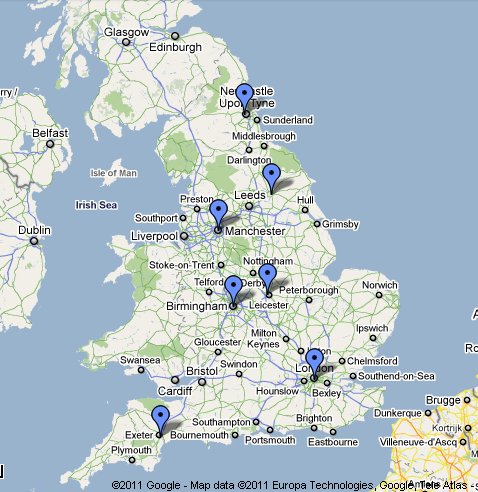
We have provided a monthly summary of posts published on other UKOLN blogs which may be of interest to the cultural heritage sector. For example, see the summaries for January 2010, December 2009 and November 2009.
Multimedia Posts
A number of the blog posts contains embedded multimedia resources, such as slides or videos, typically taken during presentations by UK staff. We hope that this use of multimedia and the provision of access to the resources used at our presentations will help to enhance the impact of the ideas given in the presentations.

We hope our readers have found the 100 blog posts of interest and value. If you have any comments on the blog or ideas for future posts we would welcome them.

Posted in Blogs | No Comments »

Council Gritter Twitters Leading The Way?

Posted by Brian Kelly on February 16th, 2010

A recently published SOCITM Report “shows how Councils are starting to use global social networks like Facebook and Twitter as well as hyperlocal, community websites operating in their areas, to communicate with their residents and businesses when local emergencies arise“.

The 16 page report is free for SOCITM members (and costs £25 for non-subscribers). An accompanying summary of the report entitled “Twitter gritters: council use of digital channels in local emergencies” described how a recent structured survey of 125 councils across the UK “looked at how councils were publishing information about service disruptions during the period of snow and ice.  It looked at their use of Twitter and Facebook to communicate with the public and analysed the data from the Website take-up service to see how traffic to their websites was affected“. It seems that “in January 2010, traffic to council websites rose sharply, with further analysis suggesting that 75% of the increase in January’s traffic related to the impact of the severe weather“.

This report on how councils exploited Social Web services during the recent bad weather contrasts with another recent SOCITM survey on council’s attitudes to providing access to Social Web services. As described in an article published by PublicTechnology.net the Socitm report fires a social media warning shot to the public sector. The article described how “around 90% of respondents revealed some level of restrictions were in place to prevent employees to access social media in the workplace, with 67% confirming a total ban on its use“.

Such inconsistencies might not be unexpected. It does seem to me, however, that library and museum staff who are frustrated at not being able to engage with their user communities through use of Social Web technologies may be able to use the Gritter Twitter story to persuade local authorities to liberalise their access policies.

Posted in Addressing Barriers, Social Web | 1 Comment »

CILIP Update publication changes

Posted by Ann Chapman on February 15th, 2010

As a member of the Chartered Institute of Library and Information Professionals (CILIP) I’ve received print copies of its journal Update for many years. Originally monthly and more recently with ten issues a year, from January 2008 selected articles were available in a digital version. Now I learn that from 2010 six editions a year will be in printed in hard-copy and six in digital format.

What difference will it make to me? The digital issues have new features (a choice of three reading views, a slideshow of the magazine, increased coverage through web links to additional content, and access to the magazine 24/7 anywhere in the world), members can access the archive of previous digital issues and further developments, including embedded audio and video content, are being researched. While that all sounds great (and I know that print publishing and mailing out is expensive) I then realised that there are some downsides too.

The journal is a member benefit, so access to Update Digital (and its archive) is restricted to CILIP members. Now I have access to the Internet at work and at home; other members may have neither. Further, I regularly lend my copies to a non-librarian colleague to read – and I can’t do the same for him with Update Digital issues. And if I have an article published in Update, I can’t simply link to it from my own publications web page.

So is it wrong to keep professional journals behind bars? When CILIP Cataloguing and Indexing Group (CIG) decided to move ‘Catalogue and Index’ from a print journal to an e-journal we also struggled with this issue, with some people arguing strongly for totally free access. In the end we came to a pragmatic compromise. It’s a benefit for CIG members, so we have members only access via the CILIP web site. But this only applies to the issues of the current year; the archive of digital issues from previous years is totally free for anyone to view and we also have plans to digitise the back run. Another downside of restricted access also means that we can’t have articles linked elsewhere or let authors link from their own web pages until the following year. And for those people without Internet access? We sent out a print letter to our members before the move to digital asking anyone who still needed a print copy to contact us – only a handful of people requested this, so currently these are printed off and sent out. Institutional subscribers get a PDF file and permission to print a hard copy for their members. Our solution is not perfect and we are keeping it under review, but for the moment it works.

Posted in Cataloguing, Libraries | No Comments »

The 90% Who Can and the 90% Who Can’t

Posted by Brian Kelly on February 11th, 2010

A recent post on the UK Web Focus blog described the recently-published report on an Investigation into Challenges, Application and Benefits of Social Media in UK HEIs. The report, which was based on a survey open to the UK Higher Education community, described how:

There are few restrictions on access to social Web services in the community, with unrestricted access to Facebook, Twitter, Blogging, MySpace, YouTube and Flickr reported by 90% of the institutions.

This figure contrasts sharply with the “90% of councils restrict social media” according to a recently published SOCITM survey of use of the Web across local authorities and reported in an article in Computer Weekly. The article goes on to describe how:

Around 90% of councils restrict access in some way, and Socitm is urging IT bosses to encourage their organisations to open up to its opportunities instead of being cautious.

About 67% completely ban the use of networks such as Facebook and Twitter, in contrast to most private sector organisations which do not block access.

Within the Higher Education community there have been a number of high profile reports which have identified the value of Web 2.0 and the Social Web to support the main aims of higher educational institutions. These reports include:

The JISC SIS Landscape Study on “A survey of the use of Web 2.0 tools and services in the UK HE sector” (33 page PDF document), published in January 2010 and summarised in a recent UK Web Focus blog post.

The “Higher Education in a Web 2.0 World” report (52 page PDF document) which was published by Committee of Inquiry into the Changing Learner Experience (CLEX) in May 2009 and summarised in a UK Web Focus blog post.”

The “Edgeless University: Why Higher Education Must Embrace Technology” report, which was commissioned by Demos which was published on 23 June 2009 and summarised in a UK Web Focus blog post.

The frustrations felt by practitioners in museums, libraries and archives is a recurring feature of UKOLN’s Introduction to Web 2.0 and the Social Web workshops which we have been delivering across the country over the peat couple of years. Such concerns are becoming more worrying as the general election approaches.  A recent tweet from MLA on how “Libraries could shut in wave of spending cuts, under Government plans” alerted me to an article published in the Daily Telegraph on how “Libraries could shut in wave of spending cuts, under Government plans“. The byline  read “Public libraries across the country could be closed to save money, under plans being considered by ministers” – and yes, it seems that Conservative shadow ministers are up in arms over plans by the Labour Government to shut down public libraries! It a strange world we are currently living in.

What role can the Social Web play in this environment?  It seems to me that practitioners in the outwards-facing departments, such as museums, libraries and archives, should be encouraged to make use of the Social Web  to support their key activities.  And use of such services can help to address the economic difficulties by avoiding unnecessary duplication of IT services in-house – a point made by SOCITM in a press release which described how:

… social media might be able to help address looming budget cuts by providing a cheap way to talk to citizens and provide services. Social media can also give employers new ways of empowering and supporting employers.

Isn’t it time that local authorities were penalised if they failed to exploit the opportunities which the Social Web is providing? And remember the concerns which have been expressed (including technical concerns such as security, reliability, interoperability and human issues such as “it’s a waste of time!”) are equally relevant to the higher education sector – where such concerns are being addressed.

Posted in Addressing Barriers, Social Web | No Comments »