Cultural Heritage

A UKOLN Blog for the Cultural Heritage sector

Archive for the 'Libraries' Category

The Brave New World of RDA

Posted by Ann Chapman on 17th March 2010

A few days ago I gave a talk  on RDA – what it is, how it’s been developed – and also how RDA has influenced changes in MARC 21, the library cataloguing format. It was also an opportunity to reflect how these standards could change, for example, future library OPACs.

I was giving this talk to students taking the cataloguing module of the information management studies courses at London Metropolitan University.  This sort of occasion is always a great opportunity to meet the next generation of professionals in the information sector. These people are right at the beginning of their career and don’t as yet know where this will take them – public libraries, private sector libraries (e.g. law firms, business companies), education (the whole range from schools through to colleges and universities), research or the voluntary sector (charities). The core skills they need will remain the same but the environment in which they use those skills is continuously changing. Drawers of catalogue cards have been replaced by OPACs, library stock is expected to inlcude e-books and e-journals and libraries are using blogs, microblogging and tagging to help users.

Back in the office it’s now down to making my talk more widely available. So I’ve uploaded my slides to my account on Slideshare as well as making them available from the Cultural Heritage and Bibliographic Management areas of the UKOLN web site. The next step is telling people I’ve done this, for instance by doing a short news item for the UKOLN news feed.  And of course writing this blog post – which will potentially  get to a further audience because the RSS feed of this blog feeds into our account (ukolnculture) on twitter.

Tags: ,
Posted in Cataloguing, Libraries | No Comments »

What is an ISTC?

Posted by Ann Chapman on 15th March 2010

ISTC stands for the International Standard Text Code (ISTC). This is a new numbering system developed to enable the unique identification of textual works and is published by the International Standards Organization as ISO 21047.

The ISTC Web site states that: “The International Standard Text Code (ISTC) system is a global identification system for textual works. It is primarily intended for use by publishers, bibliographic services, retailers, libraries and rights management agencies.” and “An ISTC can be applied to any textual work by any authorized representative of the author of a textual work”.

So whereas the ISBN distinguished between hardback and paperback versions of a text, the ISTC works to bring together a group of resources with the same content.

Crucially, “an ISTC does not ‘belong’ to a single author/publisher” – it belongs to the work. Put simply, that means that when the next Terry Pratchett novel comes out in hardback, the publisher can apply for an ISTC for it. The same ISTC is then also used for example, for paperback and large-print versions published in the UK even if they are published by different publisher(s) and for any versions published elsewhere.

So it could be a useful bit of data to include in library catalogue records, making it easier to search for a specific text work, for example, where a public library has multiple copies of the work in a number of branches, some in hardback (with its ISBN) and some in paperback (again with its own ISBN).

If you are a cataloguer, you might like to take a look at MARBI Discussion Paper 2010-DP03 which looks at the detail of where to place the ISTC within MARC 21 bibliographic and authority records.

Perhaps you’ve not seen an ISTC yet, but I gather around 4,000 have been assigned already. Initially they’ll be turning up in book trade records; then I’d expect to see them in bibliographic data suppliers records, and finally in public (and other) library catalogues. So keep a watch out for them.

Posted in Cataloguing, Libraries | No Comments »

CILIP Update publication changes

Posted by Ann Chapman on 15th February 2010

As a member of the Chartered Institute of Library and Information Professionals (CILIP) I’ve received print copies of its journal Update for many years. Originally monthly and more recently with ten issues a year, from January 2008 selected articles were available in a digital version. Now I learn that from 2010 six editions a year will be in printed in hard-copy and six in digital format.

What difference will it make to me? The digital issues have new features (a choice of three reading views, a slideshow of the magazine, increased coverage through web links to additional content, and access to the magazine 24/7 anywhere in the world), members can access the archive of previous digital issues and further developments, including embedded audio and video content, are being researched. While that all sounds great (and I know that print publishing and mailing out is expensive) I then realised that there are some downsides too.

The journal is a member benefit, so access to Update Digital (and its archive) is restricted to CILIP members. Now I have access to the Internet at work and at home; other members may have neither. Further, I regularly lend my copies to a non-librarian colleague to read – and I can’t do the same for him with Update Digital issues. And if I have an article published in Update, I can’t simply link to it from my own publications web page.

So is it wrong to keep professional journals behind bars? When CILIP Cataloguing and Indexing Group (CIG) decided to move ‘Catalogue and Index’ from a print journal to an e-journal we also struggled with this issue, with some people arguing strongly for totally free access. In the end we came to a pragmatic compromise. It’s a benefit for CIG members, so we have members only access via the CILIP web site. But this only applies to the issues of the current year; the archive of digital issues from previous years is totally free for anyone to view and we also have plans to digitise the back run. Another downside of restricted access also means that we can’t have articles linked elsewhere or let authors link from their own web pages until the following year. And for those people without Internet access? We sent out a print letter to our members before the move to digital asking anyone who still needed a print copy to contact us – only a handful of people requested this, so currently these are printed off and sent out. Institutional subscribers get a PDF file and permission to print a hard copy for their members. Our solution is not perfect and we are keeping it under review, but for the moment it works.

Posted in Cataloguing, Libraries | No Comments »

FRBR lecture at BL

Posted by Ann Chapman on 8th February 2010

I had the chance recently to attend a lecture at the British Library on FRBR given by Ronald J. Murray of the Library of Congress. If you are not a cataloguer, you may not recognise the acronym. FRBR stands for Functional Requirements of Bibliographic Records, a theoretical model that describes what we want catalogue records to do and (briefly) the data they need to contain to achieve that.

Why is this important to anybody other than cataloguers? Well, FRBR changed the way we think about the data in catalogue records because it made us think about the users of catalogues. FRBR concepts then became embedded in the new cataloguing rules Resource Description and Access (RDA), which in turn has prompted changes to the MARC Format (a metadata schema for library catalogue data). The changes in the format will now enable library management system vendors to develop new products which offer a richer searching experience to users.

So how might this work in practice? Typing in ‘cats’ as a search term in my public library catalogue today brings up 500 results. There is no order to the list, it includes both fiction and non-fiction titles and it doesn’t separate out different forms of resource. I could limit the search to items in my local branch (213 results) or limit it by media – large print, say, which gets me just 7 results – but however I limit I am still faced with an unordered list of adult and junior fiction and non-fiction titles in various media.

Now, if the catalogue had been designed with FRBR principles and a MARC Format enabled for RDA defined data, then my experience would be different. For example, options to limit my search for content type and audience would make it easier to find a book written for adults. Adding in a further limiter for media type means I could restrict the search to large print titles or e-books. Even if I don’t limit in these ways, if the right data is in the record (and the system is designed to do this) the results display could show the items in different groups – all the adult non-fiction text resources first, then junior non-fiction, then junior fiction, then videos, say. Another way would be to start with cats as a search term; the first results display might simply say ‘500 items found’ and ask you to choose limiters (e.g. adult/junior, fiction/non-fiction, text/video/images).

Even if I am much more specific in my search term at the beginning, e.g. Romeo and Juliet, I get 102 results if I put no limits on it. The first page of results gives an animated version on DVD, a film on DVD, a ‘fantasy overture’ recorded music performance on CD, a playset with multiple copies, a vocal score for an opera, hardback text, a talking book on CD, a paperback text, a hardback text about the play, and another recorded music performance of the fantasy overture on audio cassette. If I knew I wanted the music recording, I could have limited it as ‘music’ but if I wanted a recording of the ballet and not the opera I can only limit by DVD. The results displays at this point mean I can easily see if something is on videotape or DVD, but recordings of the ballet and the opera are mixed up with films of the play and animated versions. In a FRBRised catalogue, a search for Romeo and Juliet, content = ballet, media = DVD, would find me the one item in stock.

So FRBR might be more important than you think in delivering a better library catalogue experience to your users in the future.

Posted in Cataloguing, Libraries | 1 Comment »

Empower, Inform, Enrich – the DCMS Report

Posted by Ann Chapman on 26th January 2010

Last week Liz Lyon (Director of UKOLN) and I spent some time working on UKOLN’s response to the DCMS report Empower, Inform, Enrich.

We welcomed the fact that many of the think pieces and case studies acknowledged the importance of the digital environment within public library services. However, the brevity of each individual contribution meant that there was an over-simplification of both impact and issues and there were gaps. The People’s Network is rightly praised for its success but now needs new goals, strategic direction and technical infrastructure. References to successful reading initiatives did not include Stories from the Web which combines library-based meetings and access to a virtual environment. What about the gaps? No mention of digital citizens nor of an increasing use of the mobile Web. No mention of community participation in building local resources and services nor of innovative ideas such as Citizen Science Hubs. [See Serving Digital Citizens, Liz Lyon's presentation to the LGA/MLA Conference, London, Dec. 2009.] Finally, we drew attention to the need to learn lessons from the past. A national, publicly searchable database is a worthwhile ambition but there are technical and logistical issues that will need to be resolved. Moving RevealWeb from an institutional server to UnityUK without a public-view licence removed visually impaired people’s option to find resources themselves. EnrichUK, the NOF-digi Web site, has disappeared – what happened to all those digitised resources? Work is underway to find out but the lesson is to think about long-term preservation and curation at the start of digitisation projects.

It’s not unusual for UKOLN to be responding to consultation documents from either the academic and cultural heritage sectors and writing collaboratively with a wider group of people requires a particular functionality. What about Web 2.0? Google Docs is a free service that allows you to create and store documents – this might be a good choice if it’s a one-off collaboration. Using Google Docs also means you have a public space to ‘publish’ the finished document if you want to. Alternatively you might try using a wiki (institutional or a free service) – this might be useful if there is other supporting or background material you want to store as well. [See UKOLN Briefing Paper An Introduction to Wikis.] The wiki approach is also useful if the document is going to have lots of sections as the text can be split up to be worked on. This is useful if you want to assign different people to write different sections of the text. Whatever your approach, it’s good practice to have one person in charge.

Posted in Libraries, Web 2.0, wikis | 1 Comment »

BIC BSG met despite the snow

Posted by Ann Chapman on 21st January 2010

On the 11th January the BIC Bibliographic Standards Group (of which I’m a member) met to consider the UK response to Papers scheduled for discussion at the MARBI meeting at the ALA 2010 Mid-Winter event. Following the meeting, the minutes were agreed via email, and posted on Google Docs on the 14th January.

Actually, when I say met, this was a telephone conference call – not a last-minute response to the weather and travel situation but pre-planned. The twice-yearly BIC BSG meetings take place just before the MARBI meetings, so that’s always early January and usually sometime in June. With group members based all over the UK, we now conference call the January meeting. Keeping the summer meeting face-to-face helps integrate new members but we are all more than happy not to have to face the challenges of winter travel.

The remit of the group is two-fold. One task is to decide on the UK response to proposed changes to the MARC 21 formats used in library catalogues; the UK representative presents this at the MARBI meetings. The other task is to keep a watching brief on a range of other standards of relevance to the UK library sector. Members of the group brief each other on a whole range of standards, often from the standpoint of a contributor to the development of a particular standard, or as a user of newly emerging standards. Where appropriate we can identify activity (e.g. an event, a paper) that we or another group might be able to take forward to inform the community.

So what were we discussing on the 11th January 2010? The five MARC 21 Proposals concerned differentiating types of electronic resources (2010-01), series data for digital preservation projects (2010-02), recording Date and Place of Capture information (2010-03) new data elements for work and expression information (2010-04) and coded cartographic mathematical data (2010-05). The three Discussion Papers concerned ISBD punctuation in records (2010-DP01), encoding URIs for controlled values (2010-DP02) and encoding new identifiers ISTC and ISNI (2010-DP03).

Standards we are currently watching are: BIC ‘Code of Practice for the Identification of E-Books and Digital Content’; the BIC E4Libraries Subject Category Headings (some public libraries are actively looking at using these); BIC Standard Subject Categories (pressure to converge with US scheme BISAC); International Standard Text Code (ISTC) – around 4,000 identifiers have been assigned to date; International Standard Name Identifier (ISNI) – voting on the draft closes in March; RDA-DCMI Initiative; RDA in RDF at the NSDL Registry (Element Sets and Vocabularies); Dublin Core; FRBR; FRAD; FRSAD; Bibliontology; MODS; MADS; METS; Learning Object Metadata (LOM); http://www.openarchives.org/ore/; Harmony (harmonisation of metadata models).

What about the practicalities of virtual meetings? We used a telephone conference call (offered by specialized service providers). If this is going to be a lengthy call I’d suggest using a handset with hands-free option or a headset – easier on the ear and to take notes. Alternatively you could try Skype, a software application to make voice calls over the Internet. Calls to other Skype users are free, but of course everyone needs to have the application installed. Skype also has additional features (e.g. instant messaging, file transfer and video conferencing) which may be useful.

Posted in Cataloguing, Libraries | No Comments »

Google Wave and libraries: a snapshot

Posted by admin on 4th January 2010

d_jenkins_2On the 16th November last year David Jenkins, Assistant Librarian in the Electronic Resources Development Team at Manchester Metropolitan University, posted an email to the LIS-WEB2 mailing list asking about Google Wave usage among librarians. David has been kind enough to summarise his findings for us in a guest blog post.

David can be reached by email (d.jenkins@mmu.ac.uk), on Twitter @d_jenkins or on Wave (jenkins.david.r@googlewave.com).

*****************
The questions I asked the LIS-WEB2 mailing list were:

• If anybody else in the library world was using Google Wave?
• If so, what for and how?
• Do you have any library-related waves or Wave resources to recommend?

The opinions and information I was sent in response provided an interesting look at how Google Wave is being used by librarians and how it could be used by them in the future.

For an introduction to Wave itself see Google Wave: What’s all the Fuss About?. Readers can also refer to the Resources list at the end of this post for other recommended introductions to Wave and, if possible, actually use Wave themselves in order to become familiar with it.

One of the first things I got an insight into from the reaction to my questions was the popularity of Wave with librarians. I received over 20 responses in less than two days, which suggested a high level of interest in Wave. Indeed, as Google Wave accounts are available by invite only, a number of people were enquiring about invites to the service and a page was set up on the SINTO wiki to facilitate such requests. I was informed that there are numerous waves started by librarians and focusing upon library issues (please see the Library-related waves section of Resources below). Upon using Wave myself and reading around the topic, the impression I got is that the level of engagement with and interest in Wave amongst librarians appears to be proportionate to its popularity with the general public.

Google Wave

This enthusiasm for Wave was reflected in the behaviour of the existing library community that use the service. There seemed to be a general willingness amongst librarians to share Wave resources and knowledge. People were outgoing; adding me as a contact, inviting me to waves, putting me in touch with other Wave users and sending Wave invites to other librarians who requested them.

Google Wave

However, in spite of the apparent popularity of Wave, I received only two ideas regarding how Wave might be used in a library context. One respondent stated they had considered using Wave for collaborating with fellow members of an online study group. The group makes electronic and hard copy magazines, runs a blog and collaborates on various other creative projects and Wave offers them the ability to create and discuss their material online. Another respondent expressed a more general interest in the potential of Wave, putting forward the possibility of integrating Wave with Talis Prism 3 via the Juice Project. These ideas give something of a general impression of the variety of potential applications for Wave in libraries. The fact so few ideas were submitted is indicative of the fact the Wave is still at an early stage of its development and is only available to a limited (if rapidly growing) pool of users. It will take time and effort to establish what Wave is capable of and how those capabilities can best be exploited by libraries.

wave_3

Security concerns about Wave were raised and it seemed that a number of organisations’ ICT departments have reservations about the service. For example, Wave gadgets are applications that operate in Wave, allowing the embedding of code from non-trusted sources. As a result they are potentially vulnerable to cross-site scripting (XSS) threats. Google’s own Yes/No/Maybe gadget triggers a clickjacking warning when using NoScript because the gadget contains partially hidden elements. While not necessarily an issue in itself when the gadget in question is provided by a trusted source it does highlight the fact that a non-trusted source could create a gadget with hidden elements in order to pose a clickjacking threat to Wave users. For a general overview of security issues in Wave see Social Hacking.

Two more respondents highlighted their worries regarding privacy in Wave. It was of concern that, if another user has your username, they can add you as a contact, whether you like it or not. Not only that but, once another user has added you as a contact, they can then add you to a wave, whether you like it or not too. This lack of control over your own account deterred these respondents from using Wave at all.

Google Wave

Access to Wave was an issue for public library workers. Respondents reported that many councils block Wave on staff computers, meaning many public librarians cannot access the program in order to figure out how it could be used in their environment.

Overall, whilst interest in Wave was high, there was a degree of scepticism regarding how useful it is to librarians. Tellingly, some respondents felt that there are not enough extensions for Wave to make it useful to librarians yet and that nobody has actually found a valuable practical use for Wave in libraries at this point. One respondent went as far as to state that Wave has yet to be used for anything beyond time wasting. On the whole, respondents seemed happy to let Wave develop and let other people find uses for it before they approach it with any seriousness.

I would like to extend my thanks to everybody on the LIS-WEB2 list who took the time to respond to my questions and to John Whalley (Senior Assistant Librarian – Manchester Metropolitan University) for information and advice regarding security in Google Wave .

Resources

Introductions

Invites

  • A page on the SINTO wiki for librarians who are looking for a Google Wave invitation. People who have invitations and are looking for recipients can check this page and send out invites:
    http://sinto.wetpaint.com/page/Google+Wave

Library-related public waves

N.B. You will need to be able to log into an active Google Wave account to view these waves.

Library-related bots

  • Milton (uncle-milty@appspot.com) – when you type a single word in a blip, Milton returns a list of titles from the John Hopkins University catalogue relating to that keyword
  • Fnordlinky (fnordlinks@appspot.com) – enter a PMID into a blip e.g. “PMID 12748199” and Fnordlinky replaces it with the citation information from PubMed
  • Library-y (library-y@appspot.com) – enter an ISBN into a blip e.g. 1606992864 and Library-y turns it into a link to the Library Thing entry for that title
  • Igor (helpmeigor@appspot.com) – reference management

Tags:
Posted in Guest-blog, Libraries | 3 Comments »

Learning about Web 2.0 – the 23 Things plan

Posted by Ann Chapman on 17th December 2009

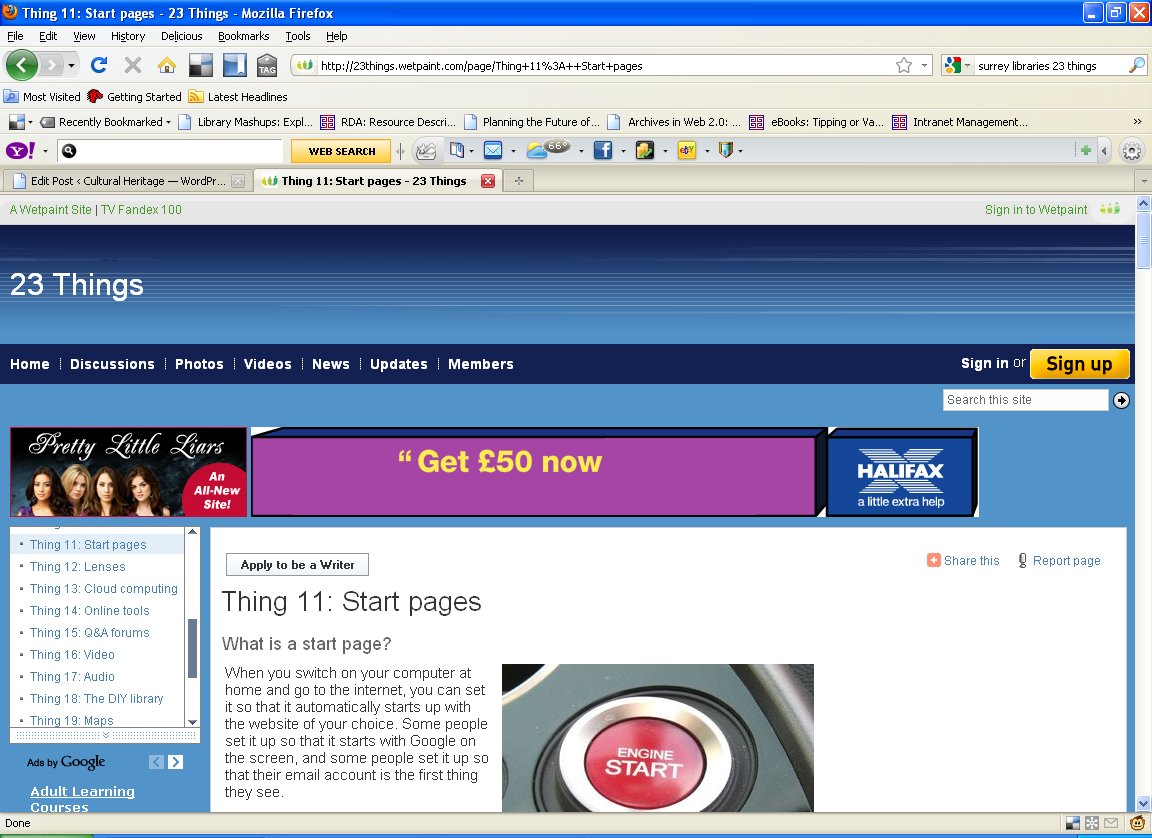
The November 2009 issue of CILIP’s journal Library + Information Update has two pieces on staff Web 2.0 development programmes, both well worth a read. The first piece by Jenny Evans and Lynn Barrett compares and contrasts the programmes developed at Imperial College London and the University of Huddersfield, while the second piece by Leo Appleton and Alex Spiers reports on the programme at Liverpool John Moores.

All programmes ran over an extended period of time, with individual ‘lessons’ on specific aspects of Web 2.0. An integral part of all the programmes was the requirement to try out various Web 2.0 tools and services. The reports also include useful information on what worked and what didn’t.

Imperial College London and the University of Huddersfield both used the 23 Things programme created by Helene Blowers as the basis for their staff training programmes. Blowers invited people to re-use her work by licensing it under Creative Commons and it’s since been adapted by more than 350 libraries across the world. But there’s no reason it shouldn’t be equally useful to museums and archives. So why not have a look and see whether it could work for you?

Posted in Libraries, Museums, Web 2.0, archives | No Comments »

Respond to the DCMS Library Review!

Posted by Brian Kelly on 7th December 2009

I recently noticed an announcement that the Empower, Inform, Enrich consultation report on the modernisation review of public libraries is available , in a commentable form on the Write To Reply service.

As described on the Write To Reply service “As well as supporting comments for each paragraph in the consultation, this republication provides a unique URI for each paragraph in the original document, which you are may use as reference links in any online discussion you engage in about the consultation“.

The WriteToReply service is “a site for commenting on public reports in considerable detail. Texts are broken down into their respective sections for easier consumption. Rather than comment on the text as a whole, you are encouraged to direct comments to specific paragraphs.

An RSS feed is also available for the comments, which you can subscribe to in your RSS reader, so that you can be kept informed of new comments as they are made, without having to continually revisit the site.

A must-visit service for all those with an interest in the DCMS review of Libraries, I feel. And I’m particularly pleased to see the increased use of such services which make it much easier for people to actively engage and give their comments and views.

Posted in Libraries | No Comments »

Newcastle Libraries New Blog

Posted by Ann Chapman on 19th November 2009

UKOLN is currently running a one-day Introduction to Web 2.0 and the Social Web Workshop in various locations around the country. I attended the one in Devizes recently where the issue of public libraries Web site design came up and the constraints that can be imposed by IT services and council policy. Discussion focused on what the actual barriers were and how they could be overcome.

One solution is to create a presence outside the council Web space that allows more creativity in presentation and content and is out where the potential audience is. That means looking at using blogs, microblogging services like Twitter, social networking sites and picture and video sharing services such as Flickr and YouTube.

So it was good the other day to see the launch message for a new blog for Newcastle Libraries which will host podcasts, news, events information and staff blogs. There’s a local studies picture gallery on Flickr and some videos on YouTube about memories of life in Newcastle collected as part of a recent project. Definitely worth a look for inspiration if you’re considering doing this sort of thing.

You can also follow @ToonLibraries on Twitter or become a fan on Facebook at www.facebook.com/NewcastleLibraries.

If you want more information on how they did this, then contact Jennifer Clark, the eLibraries Support Officer at Newcastle Libraries at: jen.clark@newcastle.gov.uk

Tags: ,
Posted in Blogs, Libraries, mla-social-web-workshops | No Comments »