Cultural Heritage

A UKOLN Blog for the Cultural Heritage sector

Archive for the 'Guest-blog' Category

Guest Post: “What’s my email address anyway Miss?” Communicating with the Facebook generation

Posted by admin on 27th January 2010

About This Guest Post

In this guest blog post Nicola McNee, Librarian at Kingswood School, near Bath explores the challenges in familiarising school children with the potential of the Social Web.


“What’s my email address anyway Miss?”:
Communicating with the Facebook generation

Nicola and her students

Nicola McNee and her students

Email is the “snail” mail of the current generation of teenagers. Shocking, but true. It comes as a bit of a surprise to those of us who have spent the last 15 or so years enduring the tedious routines of logging in, reading, replying, deleting and attaching. But why would you do all that when you can tell all your friends what’s happening in your life through one status update on Facebook and make arrangements for meeting them through Instant Messaging here and now in real time. And, oh, if you want to submit that vital bit of homework-well there’s the handing in point on the schools Virtual Learning Environment (VLE) for just that purpose isn’t there?

“Undeliverable. Recipients mailbox is full”

The challenge then, for all educators whether in museum, library or school is how we communicate with these teenagers when our mailings get returned with “Undeliverable. Recipients mailbox is full” from their institutional email addresses. More importantly how do we integrate teen’s social media activities online into how we teach and learn in school? Both encompass learning in a social environment so it should be easy shouldn’t it?

Trying to find a way forward in the Independent School where I work, as a librarian, is daunting but also extremely exciting. Kingswood Senior School has 650 students aged 11-18 and about a third of them live on site in a beautiful location on the outskirts of Bath. The school was founded by John Wesley and has a Christian ethos with an emphasis on educating the whole person in a community environment. This includes a wide ranging programme of extra-curricular activities as well as excellent teaching of the traditional curriculum.

As the first professional librarian employed by the school I have had the privilege over the last 4 years of setting up a new library which has quickly been embraced by the students and staff alike. It’s not an exaggeration to say the facilities are busy all day everyday with formal research (during structured lesson time) and informal learning at lunchtimes and after school.
More recently I have been developing a programme for students to improve their research and study skills. Students at the age of 11 and 12 learn how to structure a research query and use the library and its resources to answer it, through a series of projects relating to the Personal, Social and Health curriculum. This is augmented by research tasks undertaken in other departments to encourage students to develop their independent learning skills further.
Teaching using social media for learning

So far so good. But I have become increasingly aware of the many interactive tools on the social web that could be used to develop students’ study skills. It is my belief that we are not doing our job properly in school if we aren’t helping and positively encouraging our students to find them. To this end I have, since September, been teaching a 6 week module to Year 11’s about to sit their GCSE examinations about using social media for learning. This contains the opportunity to sign up for a personalised web page – using iGoogle, share brainstorming with Bubbl.us and discover electronic note taking with Evernote (illustrated below).

Evernote

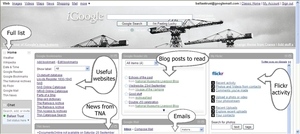
The RSS reader on iGoogle is used to explain the concept that the information they want can be brought to their desktop and continually updated. Examples are taken from current work like mindmapping an essay plan for the English text “An Inspector Calls” or storing notes about Pacifism for GCSE Religious Studies “Issues”.

Students have, on the whole, seen the point of the course immediately. I have called it “Organizing Your Online Life” and tried to show them how they can join up their way of socializing online and studying at school. A survey of the first two groups (through Surveymonkey naturally) has revealed that 41% found the course life changing and a further 27% enjoyable. Two thirds of the students said they would definitely be continuing to use at least one of the tools on a regular basis.

Undeliverable. The school’s curriculum is full?

But it hasn’t been easy and there are difficulties I continue to face in teaching a course like this. Sometimes it has genuinely felt like “Undeliverable. The School’s curriculum is full!” There are problems with the perception by some staff that social media activity is wasting time. Choices of which tools to introduce are limited by safeguards deemed necessary for the network to protect students from bullying or worse. And school policy (in keeping with DCSF guidelines) discourages staff from “befriending” students in an online social environment.

Is it “appropriate to the student’s education”?

After proudly explaining how one sports mad teenager had set up a page full of RSS feeds from the likes of the Arsenal web site (whilst demonstrating iGoogle to a group of teaching colleagues) I was challenged as to whether this was “educational”. The schools acceptable use policy states that “all internet activity should be appropriate to the student’s education” and that word appropriate is obviously open to interpretation. Just what is appropriate? Just what is educational? As far as I am concerned learning to manipulate RSS feeds is definitely an appropriate life skill for a 15 year old to learn. Maybe I’m wrong? My reply was also to ask why this activity was any different from coming to the library and reading the sports supplement in the Times newspaper? Or sitting on a beanbag and reading a fantasy novel at lunchtime? The positive outcome to all this discussion has resulted in a helpful review of the wording of our acceptable use policy.

The current policy means that all social networking sites like Facebook, Youtube or Twitter are automatically filtered on the schools network even for Sixth form students although the boarding students, whose parents agree, are allowed access to some social networking at weekends. The reasoning behind this is that students are in our care and have to be protected and anyway if they could visit these sites they would waste too much time using them. However, the attitude towards this blanket ban during the school day is changing. Recently the school undertook a series of assemblies showing students the potential problems they could face if they didn’t protect themselves online. Everyone was then given access to Facebook at lunchtime to allow them to adjust their privacy settings. But I personally do not think this is enough. Surely it’s our duty to teach them to be “savvy” online in a more intensive structured way and even more to acknowledge how networking can be utilized to improve their learning. This is especially important when GSCE students have told me that one of the most helpful strategies for revising for exams is by “testing” each other i.e. working together socially! Just think… they can do that when they are home alone in the evenings (across the Internet) if we show them how.

“This application has terminated in an unusual way”

There are problems too with using social media on the Internet as part of a schools network. Our School IT department has been very helpful in unblocking access to sites like Bubbl.us so that I can deliver my course of taster sessions. But the nature of our network environment means that students can’t always do the things they can on a personal computer at home. It’s great they can access their own personal network space from any computer in school but this means they cannot set their customized iGoogle page as their homepage. As well as this applications will not recognize their logins from previous visits so students have to remember all their log-in formats and passwords to the social media they use. Not any easy feat for some (myself included).

Voicethread created by a Year 7 class

Voicethread created by a Year 7 class (click for full size image)

Like many institutions we use the Internet Explorer browser and had been using IE6 for a number of years. Many new applications like Wallwisher, Glogster and Voicethread (which is illustrated ) require IE 7 and we had to upgrade across the network before they could be used with the junior classes I teach. But then IE 7 has its own problems with add-on toolbars used in applications like the very useful Diigo social bookmarking tool. I would love to share this with students because they could share bookmarks with one another and highlight text online. Unfortunately my own use of Diigo often results in the message “This application has terminated in an unusual way” and a shut down of the Internet browser so it has proved impossible to demonstrate it in lessons.

“With regard to social networking outside of school”

In our staff Internet access policy we are “strongly advised” not to befriend students outside of school “lest allegations, founded or unfounded-are made”. I haven’t really had a problem with this because the social networking sites I show have a recognizable educational use and I never encourage students to befriend me on them. I discuss the issue with the students and explain the school policy. I have recently found myself followed on Twitter by some of my GCSE students but I have sent them each a message thanking them for following me and in a humorous way reminding them that I won’t be following back. I expect they’ll get bored with my tweets quite quickly! However if I was a subject teacher it would be very useful for me to collaborate on, say Google docs, with presentations with my students. Does this cross the boundaries? Can BECTA’s differentiation between “social networks” and “online communities” be sustained? I note that Microsoft Office 2010 has a number of ways of linking with open source networking sites so this will become an issue that needs to be clarified further.

Developing social learning in the future

The biggest problem I see for the future is ensuring that staff have information about social media sites and the confidence to integrate the use of them into their teaching and learning. Fortunately this has been recognized by the school’s Senior Management Team and the current Head of Academic ICT has the vision to want to transform her role into one of Coordinator of E-learning. She wants ICT to be taught not as a disparate subject but across the curriculum with a strong emphasis on learning collaboratively. This is really good news for me as we have already worked together on cross-curricular approaches to improving independent study skills. But, from my experience, unless we ensure a parallel programme of support and confidence-building for staff the gap between how students learn at home and in school will grow ever wider.

BECTA’s “Next Generation Learning” initiative states that:

Online communities offer children varied opportunities for developing knowledge and interests as well as important social and communication skills

Let’s hope that schools and teaching staff can exploit student interest in social networking to raise standards in learning!


About The Author

Nicola McNee has been Librarian at Kingswood School for the past 4 years. She has a wide range of previous experience working in academic and public libraries, mostly in Northern Ireland.

Nicola McNee can be contacted at njm@kingswood.bath.sch.uk or nicolamcnee@googlemail.com. Her Twitter id is @nicolamcnee and her Learning Log is available at <http://nicolamcnee.edublogs.org/>.

Posted in Addressing Barriers, Guest-blog, Social Web | 4 Comments »

Google Wave and libraries: a snapshot

Posted by admin on 4th January 2010

d_jenkins_2On the 16th November last year David Jenkins, Assistant Librarian in the Electronic Resources Development Team at Manchester Metropolitan University, posted an email to the LIS-WEB2 mailing list asking about Google Wave usage among librarians. David has been kind enough to summarise his findings for us in a guest blog post.

David can be reached by email (d.jenkins@mmu.ac.uk), on Twitter @d_jenkins or on Wave (jenkins.david.r@googlewave.com).

*****************
The questions I asked the LIS-WEB2 mailing list were:

• If anybody else in the library world was using Google Wave?
• If so, what for and how?
• Do you have any library-related waves or Wave resources to recommend?

The opinions and information I was sent in response provided an interesting look at how Google Wave is being used by librarians and how it could be used by them in the future.

For an introduction to Wave itself see Google Wave: What’s all the Fuss About?. Readers can also refer to the Resources list at the end of this post for other recommended introductions to Wave and, if possible, actually use Wave themselves in order to become familiar with it.

One of the first things I got an insight into from the reaction to my questions was the popularity of Wave with librarians. I received over 20 responses in less than two days, which suggested a high level of interest in Wave. Indeed, as Google Wave accounts are available by invite only, a number of people were enquiring about invites to the service and a page was set up on the SINTO wiki to facilitate such requests. I was informed that there are numerous waves started by librarians and focusing upon library issues (please see the Library-related waves section of Resources below). Upon using Wave myself and reading around the topic, the impression I got is that the level of engagement with and interest in Wave amongst librarians appears to be proportionate to its popularity with the general public.

Google Wave

This enthusiasm for Wave was reflected in the behaviour of the existing library community that use the service. There seemed to be a general willingness amongst librarians to share Wave resources and knowledge. People were outgoing; adding me as a contact, inviting me to waves, putting me in touch with other Wave users and sending Wave invites to other librarians who requested them.

Google Wave

However, in spite of the apparent popularity of Wave, I received only two ideas regarding how Wave might be used in a library context. One respondent stated they had considered using Wave for collaborating with fellow members of an online study group. The group makes electronic and hard copy magazines, runs a blog and collaborates on various other creative projects and Wave offers them the ability to create and discuss their material online. Another respondent expressed a more general interest in the potential of Wave, putting forward the possibility of integrating Wave with Talis Prism 3 via the Juice Project. These ideas give something of a general impression of the variety of potential applications for Wave in libraries. The fact so few ideas were submitted is indicative of the fact the Wave is still at an early stage of its development and is only available to a limited (if rapidly growing) pool of users. It will take time and effort to establish what Wave is capable of and how those capabilities can best be exploited by libraries.

wave_3

Security concerns about Wave were raised and it seemed that a number of organisations’ ICT departments have reservations about the service. For example, Wave gadgets are applications that operate in Wave, allowing the embedding of code from non-trusted sources. As a result they are potentially vulnerable to cross-site scripting (XSS) threats. Google’s own Yes/No/Maybe gadget triggers a clickjacking warning when using NoScript because the gadget contains partially hidden elements. While not necessarily an issue in itself when the gadget in question is provided by a trusted source it does highlight the fact that a non-trusted source could create a gadget with hidden elements in order to pose a clickjacking threat to Wave users. For a general overview of security issues in Wave see Social Hacking.

Two more respondents highlighted their worries regarding privacy in Wave. It was of concern that, if another user has your username, they can add you as a contact, whether you like it or not. Not only that but, once another user has added you as a contact, they can then add you to a wave, whether you like it or not too. This lack of control over your own account deterred these respondents from using Wave at all.

Google Wave

Access to Wave was an issue for public library workers. Respondents reported that many councils block Wave on staff computers, meaning many public librarians cannot access the program in order to figure out how it could be used in their environment.

Overall, whilst interest in Wave was high, there was a degree of scepticism regarding how useful it is to librarians. Tellingly, some respondents felt that there are not enough extensions for Wave to make it useful to librarians yet and that nobody has actually found a valuable practical use for Wave in libraries at this point. One respondent went as far as to state that Wave has yet to be used for anything beyond time wasting. On the whole, respondents seemed happy to let Wave develop and let other people find uses for it before they approach it with any seriousness.

I would like to extend my thanks to everybody on the LIS-WEB2 list who took the time to respond to my questions and to John Whalley (Senior Assistant Librarian – Manchester Metropolitan University) for information and advice regarding security in Google Wave .

Resources

Introductions

Invites

  • A page on the SINTO wiki for librarians who are looking for a Google Wave invitation. People who have invitations and are looking for recipients can check this page and send out invites:
    http://sinto.wetpaint.com/page/Google+Wave

Library-related public waves

N.B. You will need to be able to log into an active Google Wave account to view these waves.

Library-related bots

  • Milton (uncle-milty@appspot.com) – when you type a single word in a blip, Milton returns a list of titles from the John Hopkins University catalogue relating to that keyword
  • Fnordlinky (fnordlinks@appspot.com) – enter a PMID into a blip e.g. “PMID 12748199” and Fnordlinky replaces it with the citation information from PubMed
  • Library-y (library-y@appspot.com) – enter an ISBN into a blip e.g. 1606992864 and Library-y turns it into a link to the Library Thing entry for that title
  • Igor (helpmeigor@appspot.com) – reference management

Tags:
Posted in Guest-blog, Libraries | 3 Comments »

Dull Library Web Sites

Posted by admin on 1st November 2009

This guest blog post is written by Margaret Adolphus, a journalist specialising in librarianship, the knowledge industry and higher education, and currently researching an article on public library websites.

I’d come across Margaret’s request for information in CILIP Gazette in August 2009 and featured it in my post entitled Why are Library Web Sites so Dull?. When I contacted Margaret recently to find out just what sort of feedback she had had and whether she had come to any conclusions, I was pleased when she offered to write this guest blog post.

Contact Margaret at margaret@adolphus.me.uk or on 01525 229487.

*****************

Earlier this year I put the following question to readers of CILIP Gazette (31 July – 13 August 2009 issue):

Why is it that public library websites are so often so dull compared with their American counterparts, and why do they make so little use of social media, inviting comment and participation from their publics?

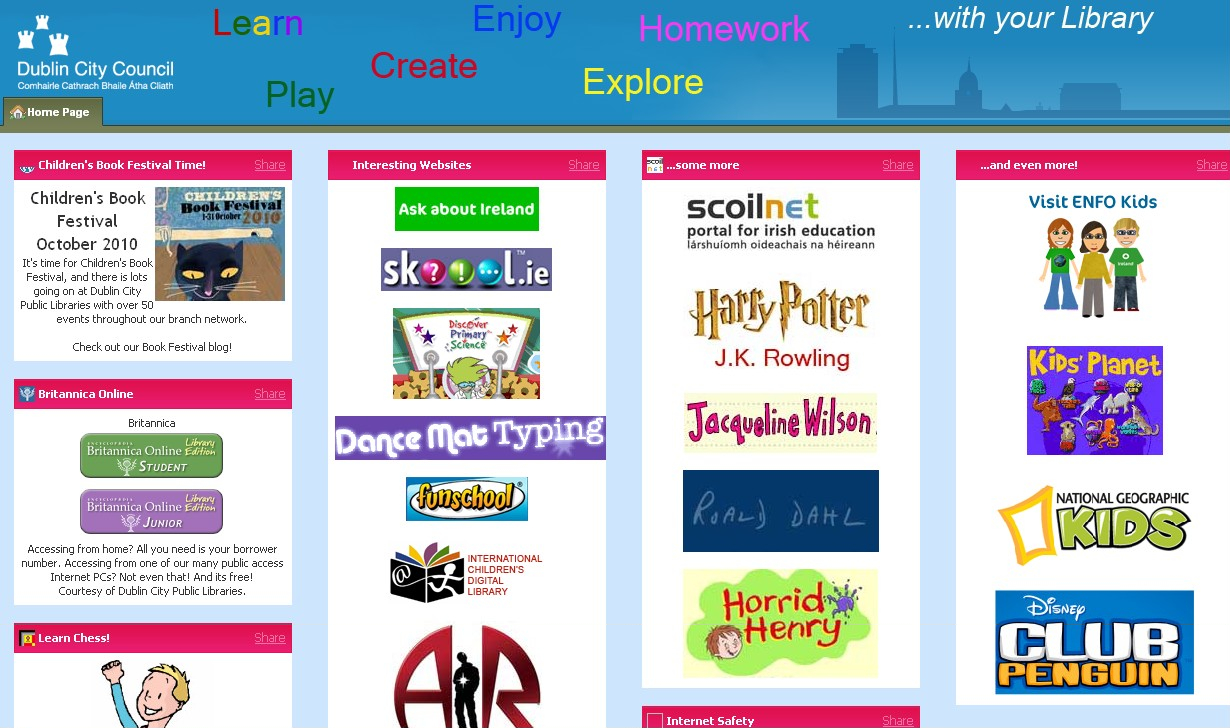
I received several responses, mostly from librarians who were frustrated by interference from the local authority for whom they worked. The latter had a web blueprint which they wanted all their service departments to follow, regardless of whether they were promoting culture or collecting refuse. Even the content of library websites was sometimes re-written (by people who were also writing about re-cycling, rights of way and parks maintenance, and who were not professional librarians), whilst also being subject to the dictates of the branding police.

Other respondents, however, had managed to circumvent their local authority masters to produce highly creative web solutions: The Idea Store in Tower Hamlets, and Tales of One City in Edinburgh being two such examples.

Edinburgh City Library homepage:

Edinburgh Tales of One City

Edinburgh Tales of One City

And, on the other side of the Atlantic, public libraries have much more engaging and interactive sites, with creative use of images, rich media and social media – resulting in a site which was both appealing and engaging.

Darien Libraries (USA) homepage:

darien library homepage

darien library homepage

An avid reader, I’m often on our library website, but to order books recommended elsewhere. I would not browse in the way that I browse Amazon for recommendations. And yesterday, when I wanted to know the percentage of those living below the poverty line in Namibia, I consulted the Internet, not the reference librarian (although I’ve subsequently discovered their excellent collection of subscription works).

I’m a natural library user – middle aged and book loving. But most of the rest of the population, especially those in a younger age group, are used to 24/7 opportunities for information and entertainment, and commercial websites which offer browsing and personalization. So it’s vital that public libraries enhance their virtual presence to appeal to this wider demographic, if they are not to lose them.

We are living in an age when the web is not just for information or commercial transaction: it’s a place for social exchange. Ordinary people can write and be published on the web without the expense of constructing a web site; they can meet one another, chat and have discussions. Information is no longer top down, delivered by an authority from above, but something that anyone can contribute to. Evidence for this is seen not just in blogs and social networking sites, but also in formal collections of information such as library catalogues. Some libraries, for example, are introducing local community information into their catalogues, hence both harnessing collective intelligence and providing a social service.

One of the complaints voiced to me after the Gazette piece was that people felt disempowered by what they perceived as ICT control over their website. One librarian commented: ‘a library website should belong to the library first, but it inevitably ends up being a mouthpiece for council services, rather than an important tool for developing the library offering’.

In an era when library managers – as are those of all council services for that matter – are having to cut costs and increase services, going virtual is an objective which will not only meet people where they are, but also save costs. The virtual library can enable self service, with people searching the catalogue and putting in their own requests, renewing their books etc. – thereby reducing the number of staff needed on the front desk. Reference works can be put online, so that library subscribers can browse accredited works without having to ask the reference librarian.

So, it makes good sense for library managers to redirect their staff towards web services, which in these days of easy to use content management systems, do not require a lot of technical expertise. And, as the trend is for more council services to be outsourced, doesn’t it also make sense for the council to allow the library to do its own thing?

My research into why more libraries are not putting more effort into their virtual services is ongoing, and I would welcome comment on this piece as well as any experiences, good or bad, that you wish to share.

Contact Margaret at margaret@adolphus.me.uk or on 01525 229487.

Posted in Guest-blog, Libraries, Web 2.0 | 1 Comment »

Collections Trust’s Digital Programmes on the OpenCulture Blog

Posted by admin on 27th October 2009

NickPoole3Nick Poole, Chief Executive of the Collections Trust has written a blog post for us introducing the Open Culture blog.

Nick’s role at the Collections Trust is to work with the Board to provide leadership and direction for the organisation. He is responsible for championing the Collections Trust’s work to many different people, including the government and private-sector partners.

Nick can be contacted by email using nick@collectionstrust.org.uk.

*************

The Collections Trust has a blog called ‘OpenCulture’, dealing with issues of Digital strategy and programmes in museums, archives and libraries.

The blog, is part of OpenCulture, a multi-year joint initiative with Culture24 and the Museums, Libraries and Archives Council.

Open Culture blog

Open Culture blog

The aim of OpenCulture is to promote open and participatory approaches to cultural services and new technologies. It includes projects on a number of digital areas, including Digital Inclusion, Digital Preservation and strategies for funding effective digital content. The blog provides information about these subjects, as well as offering museums, libraries and archives an opportunity to feed into current and future activity.

Collections Trust Web site

Collections Trust Web site

Our blogs, along with the range of other online services we provide, are an excellent way of connecting with the different audiences for our work. Not only can we provide regularly updated information, there is no better way of getting responses to policy development or programmes in realtime and directly from our user community.

Our sector is fast becoming a digital broadcaster and publisher of a huge range of content and services. As we go through this evolution, we think it is vital to capture and share as much of the new knowledge that emerges as possible. The OpenCulture blog gives us an opportunity both to capture and share knowledge in an open and dynamic way that complements online services such as Collections Link.

Collections Link Web site

Collections Link Web site

The OpenCulture blog is the first of a series of blogs provided by the Collections Trust. An International blog details their work on the Europeana project as well as liaison with the European Commission and information about forthcoming funding opportunities. The Collections Trust also provides updates about its work via Twitter at @collectiontrust.

Tags:
Posted in Guest-blog, Museums | No Comments »

Text a Librarian at Huddersfield University Library

Posted by admin on 12th October 2009

This month we are lucky enough to feature a guest blog post from Andrew Walsh, Senior Assistant Librarian at the University of Huddersfield primarily looking after the Schools of Law and Accountancy.

Andrew currently leads on three mobile ‘phone projects in the library, an internal Teaching and Learning project to introduce QR codes into the library; a project to use mobile ‘phones to improve information skills (thanks to the UC&R innovation award 2009); and a project to research students perceptions of library contact via SMS (a Library and Information Research Group award). His post today is about the text a Librarian service recently set up at the library.

Although Andrew works in an academic library it is clear that this is something that has great potential for public libraries too. It is often said that the future is mobile!

Andrew can be contacted via email or Twitter. Those after more information can also follow the Twitter feed for the University of Huddersfield Library.

*************
We’ve been experimenting with using mobile ‘phones in the Library and Computing Centre of Huddersfield University over the past year or so. We’ve always been keen on providing a range of ways for our users to contact us, so introducing a text a librarian service seemed an obvious way to reach more of our users, especially as most of our students seem inseparable from their mobiles and in house research suggested they are more likely to take note of a text message than an email.

Although encouraging mobile ‘phone use may seem to conflict with normal practice in libraries, it’s worth pointing out that we still discourage people within the library from speaking on their mobiles so they don’t disturb others. There is no reason why they shouldn’t send text messages with their ‘phones on silent, or use their ‘phones as mobile computing devices (for example we’re also using QR codes to provide context specific help and information in the library).

We were a little surprised when we first investigated introducing a text a librarian service that this service wasn’t already widespread, but there seems very few libraries in the UK and Ireland providing it. We could only find two examples – Stockport Libraries and the National University of Ireland, Maynooth though it seems to be taking off in the USA recently, with services such as Mosio’s Text a Librarian helping it to become mainstream.

text a librarian screenshot copy

Looking around at other examples around the world there seems a range of options for those of us interested in launching a text a librarian type service including using a “real” mobile ‘phone; using existing functionality built into email systems; buying in standard web based text portals; or developing bespoke systems in house. We went for a web based text portal provided by MeerCat communications as this was already being piloted elsewhere in the University so was quick and easy to set up. It also gave us the flexibility to develop other services in the future, including sending a series of tips and tricks on using the library to students who were interested in signing up to such a service. There are several providers of similar portals in the UK including JANET Txt for the UK education community; and txttools who provide services to many UK colleges and universities (including working on integration with some library management systems).

For our service, people text LIBRARY followed by their message to 81025 and should get a fairly quick response during working hours – it’s normally checked on the Ask a Librarian desk which is staffed 8:45-20:00 during the week, with slightly reduced hours on a weekend in term time.

We’re happy the service seems to be working okay and that it has helped us dip our toes into the easier end of text messaging based services before trying the more complicated end of text messaging – such as sending library notices out by text!

I’ve also recently written more generally on text messaging and libraries – see Walsh, A. (2009) Text messaging (SMS) and libraries. Library Hi Tech News, 26(8), pp. 9-11.

Are there any public libraries out there about to embark on a text a librarian initiative? If not are there any at least considering it? We’d like to hear more from you.

Posted in Guest-blog, Libraries, mobile | 4 Comments »

When Peregrines Come To Town

Posted by admin on 18th May 2009

Our last guest blog post highlighted a case study presented at a UKOLN workshop for Renaissance West Midlands. This month we feature a guest blog post by Nick Moyes, Senior Keeper of Natural Sciences at Derby Museum and Art Gallery which expands on a case study Nick presented at a UKOLN workshop on Exploiting the Potential of Web 2.0 and the Social Web which was organised on behalf of Renaissance East Midlands.


When the world’s fastest creature sets up home in the heart of your city, people take notice. And so it was that when a pair of peregrine falcons (see Wikipedia) started making futile attempts to nest on the narrow stone ledges of Derby Cathedral’s ancient tower, something had to be done.

I was honoured to be invited to write a guest piece for this blog. I only recently discovered UK Web Focus and was, to be frank, a little intimidated by its academic content. Nevertheless I find it to be an extremely useful source of information and ideas in this new world that some call “Web 2.0”. I don’t call it that; I call it getting the job done. So here’s my tale of what we did when peregrines came to town, and how we used web technologies in a project that grew beyond our wildest expectations …

Nest Platform

What we did when the birds arrived was simply to abseil down and install a wooden platform for them to nest on (see YouTube video). Well, perhaps “simply” is not the right word. This was back in the spring of 2006 and the birds took to it almost immediately and were soon incubating eggs. Word got around through the usual means: newspaper, local radio, wildlife e-groups. And as the three chicks were being raised during June of that first year, so thousands of people came out to watch them during lunch hours or at evenings and weekends. With telescopes provided at Watchpoints run by our local Wildlife Trust. It became quite a social gathering each lunchtime to stand and “talk peregrines” with complete strangers, swapping tales of what we’d seen or what might happen next. Some of that talk inevitably turned to installing web cameras and whether our partnership of Derby Cathedral, Derbyshire Wildlife Trust and Derby City Council’s Museum Service could actually do it.

Web cameras

By the start of 2007 we had a plan. We would buy and install the cameras, cabling and video server ourselves, leaving our Council’s IT support company to do just the essential network configuration. This would send (FTP) images to a third party hosting organisation, because our own networks had neither the bandwidth capacity nor the security policies for us to do this ourselves. We would also try running a blog to report back on progress as we abseiled, crawled, sweated and swore our way through the whole process, eventually (we hoped) reporting solely on the progress of our peregrines as we watched them through our nice new cameras. We had of course written a business case and gained the necessary permissions. We argued that we would create new audiences and promote what had already become a small eco-tourist attraction, perhaps generating 30,000 or more web hits in our first year. How naïve we were.

Blogging

I knew nothing of blogs back then, and nor did our local authority. There were certainly no policies on them at the time, but a suggestions from one of our e-business staff led me at first to open a MySpace account. But this didn’t look good, so Google’s Blogger was tried instead. It was perfect: simple to use, had clean lines, easy photo upload and blog archive and a comments facility, with all the admin controls I thought might be needed, plus the ability to include some of our corporate colours into the blog’s template. Later on, Google introduced video uploads and scheduled blog-posting too. It couldn’t have been much better, so now the Derby Cathedral Peregrine Project had a means of communicating topical information from all three of the partners 24 hours a day, as well as via a more traditional introductory “peregrine project homepage” on our council’s own web site. Very soon we gathered followers. When local TV broke news of eggs being laid and new web cameras going live they peaked at 1,000 a day. From that moment they haven’t stopped coming.

Breeding Success

In that first year we had over 270,000 hits to our combined webcam pages and blog followed by 430,000 in 2008.As well as innumerable video clips and interviews in local TV, radio and newspapers, we’ve appeared in BBC’s Springwatch and regional TV’s component of Alan Titchmarsh’s BBC series on “The Nature of Britain”. In 2008 we were even approached by an independent company wanting to produce a commercial DVD about the project. This helps raises much-needed funds. With four eggs now hatched, and with fledging due around 6th June 2009, we might even be on course for 2/3 million visits during 2009. Our blog alone can peaks at over 9,000 visits a week from people wanting to catch up on all the current news and photos, with our Clustr maps archive showing a strong European and North American readership, as might be expected.

So great were our webstats submitted under the now-superceded system of “Best Value Performance Indicators” reported by local authorities, that the Audit Commission even questioned their veracity. After much high level debate they declared our figures unsuitable for reflecting website usages by museums. Had it been a stuffed peregrine, fine. But this was a live bird – so how could it be seen as valid for a museum to report on that, they argued. A fair point, perhaps. After all, “Best Value” was designed to allow for fair comparison to be drawn between similar types of service across different local authorities, so maybe exclusion was sensible. But when it was suggested locally that this decision might put the viability of the whole project into question, then alarm bells did begin to ring. I feared this could be a case of the statistics-gathering tail wagging the audience-focussed dog. But common sense prevailed and we’ve since been fully supported in our work, especially so after being able to demonstrate that we draw many thousands more visitors into our main websites each summer and that our project contributes towards some of our authority’s Corporate Priorities, too (see report, PDF format).

With evidence emerging of visitors coming to Derby specifically because of its peregrines, from as far afield as Hong Kong and Toronto, we see this partnership project really is becoming an unexpected success story. Perhaps two viewers’ comments reflect its value best of all:

Just want to say a huge thank you for this fascinating and gripping project. We did . . . actually come to Derby, but as I am ill and not able to get out much especially not able to see much wildlife, this really has been a lifeline to me. Thanks xxx Penny

I am learning so much about peregrins through reading the blogs. Even got my grandchildren interested. One of the youngest ones has gone away today with the web address – bless him. Going to keep looking today to see if I may catch the 3rd egg [being laid]. Hope so, as someone else mentioned, this is better than TV. Joy

It has probably been the peregrine blog, with its liberal scattering of close-up nest photos and video clips that makes our project so different from most other wildlife webcams around the world.

We didn’t set out to do it, but we’ve somehow created a global community of wildlife enthusiasts who see something special in what’s happening in Derby, and many now follow it closely. With the project partners writing frequent and regular contributions throughout the breeding season and beyond, that engagement has been a two-way process and is now almost self-sustaining. Webcam viewers leave short comments to report what’s been seen on the three cameras; but many ask questions and others respond to them. It can even be self-policing, with readers asking others to refrain from commenting on non-peregrine related topics (the Obama elections in 2008, for example). The project partners do respond to comments, but we try to maintain a modicum of anonymity whilst at the same time writing in a personable and informative style. – this is a peregrine project and a partnership, not a personality trip for those who set it up, though sometimes it’s hard not to get carried away with the vibrancy and enthusiasm generated.

The number of readers, plus the fact that we write on behalf of a partnership, means that we’re acutely aware of the need to write responsibly. With so much of this project run from home and in our own time it could be all too easy, late on a Saturday night after a glass of wine, to make some inappropriate or ill-thought out remark on a blog. It’s a sobering thought to realise how many people watch and care about what we say; or what the consequences of inappropriate remarks could be.

Is There a Risk?

Compared to killing ourselves whilst abseiling, the risks of being the first to use social networks in our partner organisations may seem rather small. But they do exist.

The use of web tools like Blogger, YouTube, Flickr and especially newcomers like Twitter can leave one exposed to an employer having concerns about what one is doing if they’ve not been fully authorised, or if policies on the use of social networking sites are still in a state of evolution. They certainly get the job done in a way that traditional in-house resources can’t and it could be argued that the not inconsiderable benefits can outweigh most potential concerns. Of course, the survivability of these do-it-yourself services can also be called into question when created by staff using personal accounts. Having now given copies of relevant user names and passwords for these Web services to our central Web team, I feel this makes what we do far more robust, and not more threatened.

One of the risks of not get involved in social networking sites is that others may well try to do it for you. Cyber-squatting on social networks might be seen as a compliment, but when it happens you’ll have no control over content. In one fortnight in March we found that two Facebook accounts and one Twitter account had been created in the name of our Peregrine Project, and some looked reasonably official. Currently unable to counter with approved accounts of our own, we simply accept there’s little we can do for the time being and hope these pages will be maintained and managed in a way that doesn’t harm the image of our project. Time will tell.

With our own blog comments left unmoderated, but with “word verification” required for anonymous contributors, virtually all spammers are excluded from our blog. Our only problem has been when strongly worded comments are left by those who race or display pigeons. Not surprisingly they hate peregrines with a passion, and we do have sympathy for their frustrations when birds are taken. So far we’ve allowed such comments to remain, only deleting a few really unpleasant remarks from both sides of the argument, but we’re not afraid to close a discussion thread once the matter has been aired enough. With 50 to 100 comments for many new posts, it can seem more like a discussion forum than a blog at times.

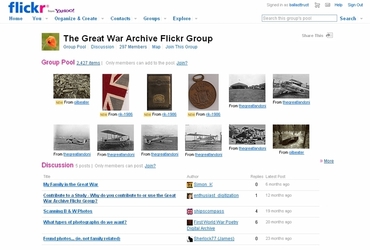
We recently – and rather carefully – launched a Flickr group pool, allowing viewers (who we ask to agree to abide by our Rules) to upload and share webcam screenshots which we can rapidly embed into our blog, avoiding the need for us to capture and upload them ourselves. In our first week we had 250 pictures posted by over 50 new members, and we ask everyone to take responsibility for removing any inappropriate comments left by others against their pictures.

We are putting so many high quality videos on YouTube for embedding in the blog, that I’ve started to worry that we’re flooding the site with simply too many clips of similar content. So Blogger’s own video uploader is used to keep the less interesting clips within the blog’s pages. The down-side of YouTube and Blogger is that most schools are barred from visiting the sites and so a valuable educational resource is not available to them. We’re now looking at developing other, more accessible educational resources, including museum-based school classes.

The Future

We did not set out to “fly under the corporate radar” at Derby. Indeed, the Peregrine Project started using web technologies before the issues began to be addressed at a corporate level. Schemes like ours can demonstrate the value of social networking tools in building and engaging with totally new audiences (and maybe even contributing to a city’s image at home and abroad). But when you realise that, as an employee, you are standing in the firing line for breaching any number of constantly evolving IT policies, it can be a worrying time. Even this guest article has been seen by senior staff in my authority and, to be honest, I welcome that. At a time when policies on blogging and other social media are still under discussion it is important to work with the system, and to explain to everyone what we are trying to do. Improved customer service can only be the eventual outcome, even if the wheels of local government do tend to move at a slower pace than those of smaller, independent organisations.

Within the libraries and museums sector the value of being able to use developing web technologies is clear for most of us to see. It’s probably also the least threatening platform from which they could be introduced by local authorities because cultural services attract such positive press and public support. It is unlikely we would be used as a soapbox for disgruntled local taxpayers to air a grievance; they would find better ways.

But I do wonder if there is an even greater role for UKOLN here, not only in continuing to collate and promote examples of good practice within our sector, but also to put more emphasis on supporting and providing the necessary evidence and background information to the key policy-makers within local authorities. They will not be intimately familiar with what we do, so perhaps we should help them understand it better. It is they who will decide what is permissible; it is up to us to demonstrate what is possible.

As for the peregrine falcon, well, it is a remarkable species that has risen from the brink of extinction in just 60 years. This has been a success story indeed. And for me, the rise of technology that lets us share this creature’s life and intimate moments with a world-wide audience has been almost as awe-inspiring.

Nick Moyes, Senior Keeper of Natural Sciences at Derby Museum and Art Gallery, England and a 24hr-a-day wildlife enthusiast.

Posted in Guest-blog, Web 2.0 | 2 Comments »

The ‘On the Pull’ Project

Posted by admin on 2nd April 2009

About This Guest Blog Post

As Curator (Collections Knowledge) at Brighton Museum & Art Gallery I’m keen to explore ways we can use web 2.0 again after trialling Facebook, Flickr and MySpace with our Designated Challenge Fund ‘Opening Up Collections’ project for 2006-2008. I was invited to share my experiences of this at the Exploiting the Potential of Web 2.0 UKOLN Workshop for Renaissance West Midlands at The Herbert, Coventry on 26th February 2009. In this guest blog post I describe this work for those who weren’t at the workshop.

Catherine English, Curator (Collections Knowledge), Brighton Museum & Art Gallery

Background to the ‘On the Pull’ project

The On the Pull project was an exciting opportunity for Brighton Museum & Art Gallery to work with target audiences and new ways of researching our collections. Funded by the Designation Challenge Fund (DCF) the project was themed around courtship, attraction and the quest to find the perfect partner, drawing on our Designated collections of World Art, Decorative Art and Natural Science and exploring our Fashion, Local History, Media, Film and Fine Art collections.

Six ‘Researcher/Interpreters’ were recruited to carry out new research and give innovative and creative responses to the museum collections through music, film and writing, teasing out the hidden histories.

Each stage of the project was guided by focus groups comprised of under represented groups in the museum’s visitor profile. They informed research sub themes, gallery interpretation, signage, design, web content, marketing and a programme of events.

The result was a light-hearted look at love and attraction, in terms of both the human experience and in the animal world. In addition to a series of small displays, there was an accompanying programme of events, an interactive area and the use of social networking sites. Visitors could take time to relax in the ‘chill out’ area, record their first dates on a local love map and make their mark in the kissing photo booth.

Using Social Networking Sites

Using social networking sites was not an initial goal. There was a commitment to providing additional interpretation on our museum website but meeting the focus groups made us begin to think about other ways we could give On the Pull an online presence, with the feeling that maybe our collections website would not be the most appropriate place. The first session with the focus groups explored preconceptions of museums and barriers to visiting. The response was that they were thought of as dusty, boring and intimidating places. In this same session we looked at how the members spent their spare time and where they found out about things to do and what was going on around the city. The younger age group (18-24 year olds) spent considerable time looking on line and using sites like MySpace and sending information on word of mouth to friends. We wanted to tap into this and having a MySpace page about On the Pull seemed to be a good place to start.

The ethos of On the Pull was about taking a step away from the traditional museum exhibition to encourage new visitors/target audiences. We began to explore the idea of using social networking sites as a marketing tool and get away from the associations with the word ‘museum’ as a way of breaking down barriers and the connotations the word held to our focus groups. Consequently our marketing was carried out with the web address for the MySpace page, www.myspace/brightononthepull, rather than Brighton Museum. It had links to our main Web site (www.virtualmuseum.info) and links to On the Pull Flickr and Facebook pages too. The focus groups gave us their opinions on colour schemes, designs and also helped choose the title, On the Pull, which we hoped would be something a bit different, short and catchy, and again stepping away from the traditional museum exhibition.

Myspace

Our MySpace page let us add the music and films (linked from YouTube) created by our researchers which were not included in the final displays. We encountered some problems with the subject matter. One of our researchers had produced a film about lobster mating rituals developed around specimens in our natural science collections, when it was added to YouTube it automatically extracted links to similar films to view on YouTube. Some of these were politically problematic, so in the end we had to remove the film.

We included images of the objects the researchers had looked at and used the blog facility to add details about events which were happening throughout the six months On the Pull was up.

We created a persona for our page, which reflected the younger target audience. We became a female, age 22, single, Aquarius, ‘here for networking and friends.’

Flickr

As we were exploring romance related themes we had a photo booth style kissing booth in our interactive area, which visitors could have their photos taken in. These photos were uploaded onto the Flickr pages with a link in the myspace page. I created and monitored the Flickr site. We decided to use Flickr because of its ability to manage many photos. We did not encounter any problems setting up the account with our ICT team as we’re on an open access network with our museum and library service, it also gave us access to Yahoo as you need a yahoo account to open a flickr account. This is something to be aware of when deciding to use these sites.

The photo upload averaged at 1000 images per month, this meant we had to upgrade to a pro account. The pro account gave us unlimited uploads and access to statistics at the cost of $25 a year. It was quick to upload the photos to the site but downloading them manually from kissing booth took time. We encountered some data protection and consent issues which were unique to this project and the images being taken. We had signs up saying the booth was for over 18s only and a message on the screen. You had to agree to the use of your photo on Flickr before the picture was taken. I had to manually upload pictures and use my own judgment over the people’s ages. In a way, as one of the age groups we were targeting were 18 year olds it was a bit of a shame that we may have been excluding their pictures and could have been contradicting what we were trying to do in the first place.

We added keyword tags to all the pictures and arranged them by date in sets. As there were so many we felt this was the best way to organise them, so that people searched through the date they visited the museum to retrieve their picture.

Facebook

We used Facebook in the same way as MySpace as a marketing tool. We advertised our events programme, ran competitions to win free event tickets, displayed promotional images, images of objects from the collections and played music.

We had reservations about using Facebook as you have to join up to use it. However some staff were particularly keen to exploit this as it would allow us to tap into the local networks and our target audience groups, with thousands of members in the local geographical area. We had our own ‘Brighton On the Pull’ group which was open to the Brighton & Hove network; anyone could join and invite others from the local network to join too.

Our overall challenges came from museum management who were concerned about giving us permission to use these sites in the beginning, mainly because they were not sure about how they worked and particularly with the romantic subject matter. It took a lot of effort from me and the project manager to convince them to go ahead. The discussions took up a lot of time and caused some delays on the project.

We weren’t able to add to it all of the time due to staff and time limitations. I think it is important to be quite active and dedicate a lot of time to updating the sites, or maybe have more than one editor, in order for it to evolve. During On the Pull we recruited some volunteer gallery assistants to be meeters and greeters and the friendly face in the gallery our focus group wanted to see. More importantly they were our younger focus group age (18-24 year olds) and most likely used Facebook in their spare time. It would have been great to have them helping out as editors to send out messages in their own voice, keep the pages up-to-date, get people to recommend it to friends and allow it to grow but that meant giving up quite a lot of control of what went on the site. Therefore, we didn’t really have many friends on Facebook, we had slightly more for MySpace but quite a lot of these were local businesses, and a few museums, using these sites in the same way as us.

Focus Groups Feedback

Our focus groups thought that the marketing generally oversold what was on offer and thought it sounded like a single’s night or dating service. Some of the younger group members also said that our MySpace page looked a bit amateurish compared to other MySpace pages.

Because there was so much else happening during the project I feel we didn’t really get the opportunity to evaluate this aspect as much as we would have liked to, maybe because it was a bit of an addition to the main outcomes. We did monitor the amount of friends we had and hits – we had about 6000 hits on the MySpace site for the duration of the project. Flickr was much more popular with 3500 in the first month. The older focus groups (60+ year olds) thought that the MySpace site was for much younger people, but loved the mix of people on Flickr and really welcomed that.

Just as we may have been excluding the younger age group by not adding their kissing booth photo on Flickr, if we had added much more online we could have been excluding the older groups, as they are less likely to use such sites. Flickr was by far the most popular out of the three sites; I think people enjoyed the interaction and being able to look up their photos.

In summary, I’m glad we had the opportunity to explore and experiment with these sites and in the future I would like to see us being a lot more object focussed with using sites like Flickr more proactively to encourage more interaction and social comment on the collections.

Posted in Guest-blog, Web 2.0 | 2 Comments »

The Black Art of Blogging

Posted by admin on 12th January 2009

We intend to feature a series of guest blog posts on UKOLN’s Cultural Heritage blog, which will provide an insight into the issues and challenges in providing innovative networked services from practitioners in the cultural heritage sector.

The first guest blog post comes from Catriona Cardie, Marketing Director, Our Dynamic Earth, who attended a workshop on blogging organised by UKOLN. In her post Catriona describes her interests in blogging and how the workshop helped her in recognising the advantages – and possible disadvantages – which blogs may have for museums.


Blogging. It’s A Black Art Isn’t It?

Around two years ago I was sent a business questionnaire on the role of ‘blogging’ as a corporate communications tool. I’ve been the marketing director with Dynamic Earth for over 5 years and am ultimately responsible for the delivery of visitors to Our Dynamic Earth. Our Dynamic Earth is the only centre in the UK to tell the life story of Planet Earth. While we do this in a consumer friendly, leisure based visitor centre we also provide a dedicated and specialist education service to over 50,000 schoolchildren from across the UK every year. We’re a not for profit organisation with lifelong learning in Earth Sciences at the heart of our business activity.

Despite being in the communications profession, I had no idea what blogging was, nor indeed what it could possibly offer me as a corporate communications tool. I confess that this whole new generation of networking frightened me a little but I duly put this on my ‘things to explore’ list, before dabbling round the edges of social networking. I chatted about blogging with colleagues and friends only to discover that what we all had in common was that none of us had ‘done’ it and that none of us could agree what it actually was.

When earlier this year I was approached by the Association of Scottish Visitors Attractions (ASVA) to provide a venue for a ‘blogging’ workshop’ I knew that not only would I be delighted to host but I would very much want to be there. And so began my blogging journey.

The workshop was hosted by Brian Kelly here at Our Dynamic Earth in November and was attended by around 35 representatives from ASVA membership, a diverse range of visitor attractions around Scotland. Only one of the attendees was an active blogger but we were all keen to establish how blogging could help us in our businesses.

Blogging Beginners

Confusion abounded as to the differences between social networking, blogging, online forums and chat rooms. To have Brian give a clear indication as to how these differ was in itself hugely illuminating, and actually something of a relief. Almost all of the attendees had some experiences of social networking and forums but most had negative experiences and could cite examples of how these had actually interfered or damaged their business.

Some attendees had experiences where staff or team members had inadvertently worked against the organisation via their social network sites. Examples included posting confidential information about the company, less than positive photographs of staff, comments about their employer or publicly available chat streams between employees.

These negative experiences were certainly serving to create a degree of suspicion about the potential of blogging.

Blogging Blues?

Brian did a great job in giving us a real time overview of blogging in action and within an hour of the workshop there was a palpable sense of revelation about the ease with which we could tap into blogs and blogging. Despite being clearer as to actualities of ‘doing it’ I was still left wondering if getting blogging to work for business as something of a black art.

As consumer businesses a number of key issues were common to the group.

These included:

  • Subject matter – what should I blog about?
  • Frequency – how frequently should I be blogging
  • Will anyone out there read it – and how will I know
  • How to promote your blog – how can I ensure I reach my ideal audience?
  • Should blogging be ‘controlled’ – where does blogging and more traditional customer relationship management meet and to what degree should we control our messages and content
  • Blogging and the ‘brand’ – what happens if blogging activity interferes with our brand position and undermines our key messages?
  • Will we open ourselves to random feedback? – what are the chances of attracting the wrong kind of feedback and opening ourselves up to very random and negative content?
  • Was there evidence that an investment in blogging would deliver a return? – We’re all commercial businesses and how can I justify blogging. After all it really needs to be of clear benefit to the business.

Blogging As A Business

What I learnt was that blogging is currently a marginal, and to some degree underground activity. But there is no doubt that this is a growing activity with a range of possibilities and opportunities. Personally I was astonished at the speed with which specialist could exchange information through a blogging network, and make this specialist knowledge widely available. This was clearly evidenced when Brian asked a question on his blog. Within seconds a really useful response, with further web references, had been returned.

I also learnt that within the next five years blogging will have made its way into the mainstream as a means of communications and networking. As a business we are very keen to be ‘dynamic’ and up to speed with the communication preferences of our customers.

Importantly I learnt that blogging is not about creating manufactured content intent on ‘selling’ to the audience. In my line of business this is a salutary point as my natural inclination is to clearly drive increased levels of business by promoting our products and services.

To this end my mind was racing with how we could tap into this particular communication tool while ensuring it was an activity that we would undertake with integrity and the appropriate levels of consideration but without the constraints of being overtly managed.

At this moment in time I have concluded that blogging would be an excellent communication tool in some areas of our business but inappropriate at this stage in others. I feel sure that the blogging can contribute as a corporate communications and marketing tool but that it is achieves these aims with greater subtlety and over a longer period of time.

While most of the workshop attendees were initially concerned with how blogging would impact on profitability I became less concerned with this as my understanding broadened. Instead, I can see a valuable role for blogging in delivering our educational remit. Indeed what a fantastic outlet for the specialist science knowledge we have on the team here at Dynamic Earth and what a way to share, augment and grow that knowledge. What a great communications medium for the teachers and learning professionals that we work with and what a great means of collecting feedback, hints, tips and signposts to new science, news ways of delivering and communicating our science.

And perhaps most importantly what a great way to deliver additional value to our education based customers and ultimately grow our reputation as a leading provider of Earth and Environmental science communication.

Will Our Dynamic Earth Be Blogging In 2009?

Certainly, Brian’s workshops helped me to discover that successful blogging isn’t as black an art as I had at first suspected. In fact I now consider it another outlet and feedback tool that can be successfully added to the range of our business communications tools. Where’s that questionnaire now?

Here at Dynamic Earth we left the workshop not only with a clear picture of how to start our blogging journey but very excited, almost evangelical, about blogging. I thoroughly enjoyed the workshop which itself was educational and fun – everything we aspire to be here at Dynamic Earth. Brian has me absolutely converted and I am becoming a bit addicted to blogs though have so far held back from jumping in with a Dynamic Earth blog. But, look out for a fantastic new Earth and Environmental Science, a blog sometime in 2009!

Catriona Cardie, Marketing Director, Our Dynamic Earth, <www.dynamicearth.co.uk>

Posted in Blogs, Guest-blog | 5 Comments »